
15 Essential Tools for Developers to Boost Productivity
1. AI-Powered Coding Assistants
1. AI-Powered Coding Assistants
The landscape of software development has been fundamentally transformed by the emergence of AI-powered coding assistants, which have quickly become indispensable tools in every developer's arsenal. Among the most prominent players in this space are GitHub Copilot, Cursor, and Amazon CodeWhisperer, each offering unique capabilities that streamline the coding process and enhance productivity. GitHub Copilot, developed in partnership with OpenAI, leverages advanced machine learning models to provide intelligent code suggestions as you type, often predicting entire functions and blocks of code based on natural language comments or partial implementations. Cursor, built upon Visual Studio Code, takes a different approach by integrating deep AI assistance directly into the editor experience, featuring powerful code generation, refactoring, and explanation capabilities that feel native to the development environment. Amazon CodeWhisperer, meanwhile, brings the backing of AWS infrastructure and is particularly strong in suggesting code for AWS services, making it a natural choice for cloud-native and enterprise development teams.
These AI assistants excel at reducing the tedious boilerplate code that traditionally consumes a significant portion of a developer's time. Instead of writing repetitive setup code, standard API calls, or common design patterns from scratch, developers can rely on AI suggestions that understand context and intent. This acceleration of development workflows allows programmers to focus on higher-level architecture, creative problem-solving, and business logic rather than getting bogged down in syntax and routine implementations. Studies have shown that developers using AI coding assistants can complete tasks significantly faster, with some reporting productivity gains of up to 30-55% for certain types of coding activities.
The integration of these tools with popular IDEs and code editors has been a critical factor in their widespread adoption. GitHub Copilot works seamlessly with Visual Studio Code, JetBrains IDEs, Neovim, and other editors through dedicated extensions. Cursor itself is a fork of VS Code with AI capabilities deeply embedded, while CodeWhisperer integrates with multiple IDEs through the AWS Toolkit. This seamless integration ensures that AI assistance is available contextually within the familiar development environment, maintaining workflow continuity and minimizing the learning curve. Developers can receive suggestions in real-time as they write code, with the AI understanding the broader project context, imported libraries, and coding conventions being used.
However, with great power comes great responsibility, and best practices are essential for maintaining code quality and security when using AI tools. Developers should always review AI-generated code critically rather than accepting suggestions blindly, as these tools can sometimes produce code with subtle bugs, security vulnerabilities, or outdated practices. It is crucial to test generated code thoroughly, adhere to established coding standards, and ensure that AI suggestions align with the project's architectural decisions. Security-conscious teams should establish policies around what code can be generated by AI, particularly avoiding the use of AI-generated code in critical security components without thorough human review. Additionally, understanding the data privacy implications of each tool and ensuring compliance with organizational requirements is essential.

Looking ahead, the future of AI-assisted software development promises even more sophisticated capabilities. We can expect to see AI assistants that better understand entire codebases, enabling more contextually aware suggestions and intelligent refactoring across large projects. The integration of AI with automated testing, debugging, and DevOps pipelines will create more comprehensive development ecosystems. Multimodal AI, capable of understanding not just code but also documentation, design specifications, and user requirements, will enable even more powerful assistance. As these tools mature, they will likely evolve from passive suggestion engines to active collaborators that can participate in code reviews, architectural discussions, and even help onboard new team members. The developers who learn to effectively collaborate with AI while maintaining their critical engineering judgment will be best positioned to thrive in this rapidly evolving landscape.
2. Version Control Systems and Collaboration Platforms
2. Version Control Systems and Collaboration Platforms
If AI-powered coding assistants are the co-pilots of modern development, then version control systems are the navigational instruments that keep entire fleets moving in the same direction. At the heart of this ecosystem lies Git, the distributed version control system that has become the de facto standard for virtually every software project on the planet. Unlike centralized systems that create a single point of failure, Git gives every developer a complete copy of the repository, enabling them to work offline, experiment freely in isolated branches, and merge changes without fear of disrupting the main codebase. This distributed approach transformed how teams collaborate, turning what was once a chaotic process of file sharing into a sophisticated, trackable workflow.
The true magic of Git manifests through the platforms built around it. GitHub, GitLab,rs, and Bitbucket have evolved from simple repository hosts into comprehensive collaboration hubs that form the backbone of modern software engineering teams. GitHub's social coding model revolutionized open source contribution, while GitLab's integrated DevOps platform offers an all-in-one solution for teams seeking tighter toolchain integration. Bitbucket continues to serve enterprises deeply embedded in the Atlassian ecosystem. These platforms do far more than store code; they facilitate the structured conversations that produce better software through branching strategies like GitFlow, trunk-based development, and feature branching, each tailored to different team sizes and release cadences.
Pull requests represent the modern code review workflow, transforming code submission into an opportunity for mentorship, knowledge transfer, and quality assurance. When a developer completes a feature, they create a pull request that triggers automated CI/CD pipeline checks, running test suites, linting, and security scans before a human reviewer ever sees the code. This automated gatekeeping catches errors early and maintains consistent code quality. Effective collaboration also demands attention to the human elements: handling merge conflicts requires clear communication and sometimes pair programming sessions to resolve complex divergences. Maintaining clean commit histories through interactive rebase and squash merges ensures that future developers can understand the evolution of the codebase. In an era where ship velocity directly impacts competitive advantage, mastering these version control and collaboration tools is not optional; it is foundational to building resilient, scalable engineering organizations.

3. Modern Integrated Development Environments (IDEs)
3. Modern Integrated Development Environments (IDEs)
The choice of an Integrated Development Environment can make or break a developer's daily workflow, and today's options are more powerful and diverse than ever before. Visual Studio Code has emerged as the undisputed champion for many developers, offering a lightweight yet feature-rich experience that supports virtually every programming language through its vast extension marketplace. Its IntelliSense code completion, built-in Git integration, and seamless debugging capabilities have made it the go-to choice for web developers and beyond. On the other end of the spectrum, the JetBrains suite including IntelliJ IDEA, PyCharm, and WebStorm provides deeply integrated, language-specific environments with intelligent code analysis and refactoring tools that feel almost telepathic. These IDEs excel at understanding project structure and catching potential issues before they become problems. Meanwhile, Vim and NeoVim maintain a devoted following among efficiency enthusiasts who swear by the modal editing paradigm, achieving remarkable speed through keyboard-driven workflows once the steep learning curve is conquered. The key productivity boosters across all modern IDEs include intelligent code completion that predicts what you are typing, integrated debuggers that let you inspect variables and step through code without leaving the editor, and extension ecosystems that transform a basic editor into a full-fledged development powerhouse.
The rise of cloud-based development environments has fundamentally changed how teams collaborate and onboard new developers. GitHub Codespaces provisions complete development environments in seconds, allowing you to spin up a fully configured workspace directly from any repository with just a browser. Gitpod offers similar functionality with prebuilt environments that eliminate the "it works on my machine" syndrome entirely. These cloud solutions are particularly valuable for distributed teams and educational settings where consistency matters. The plugin and customization ecosystems have grown so robust that developers can genuinely craft their perfect environment, whether that means installing a vibrant color theme for reduced eye strain or configuring complex macro systems for automated refactoring. However, all these features come with resource costs. Memory-hungry IDEs can bring modest machines to a crawl, especially when running multiple language servers simultaneously. Discerning developers learn to balance functionality with performance, disabling unused extensions and tuning language server settings to maintain snappy responsiveness. The ideal setup is one that feels invisible, removing friction without demanding your attention, and the best IDEs today achieve exactly that.
4. Containerization and Orchestration Tools
4. Containerization and Orchestration Tools
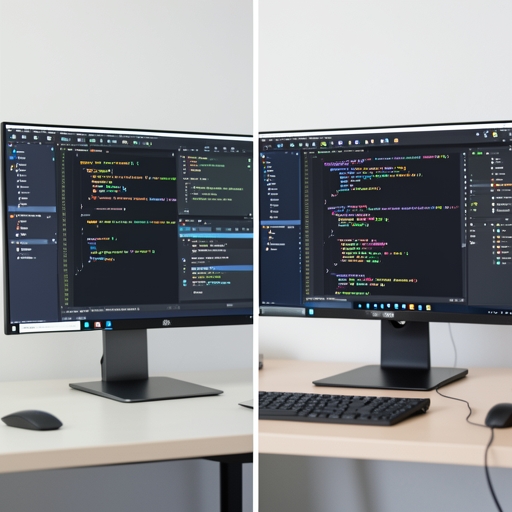
Containerization has fundamentally transformed how developers build, ship, and run applications, eliminating the age-old problem of it working on one machine but failing on another. Docker sits at the heart of this revolution, providing developers with the ability to package an application along with all its dependencies into a single, lightweight container. This ensures that whether you are developing on your local laptop or deploying to a production server, the environment remains identical. By using Docker, teams can sidestep configuration drift and dependency conflicts, streamlining both development workflows and deployment pipelines. To write efficient Dockerfiles, always minimize the number of layers by combining related commands, use official base images to reduce security vulnerabilities, and leverage multi-stage builds to keep production images lean. Regularly pruning unused images and containers also helps manage disk space and keeps your Docker environment running smoothly.
When applications grow beyond a single container, Docker Compose becomes an essential tool in a developer arsenal. It allows you to define and run multi-container applications using a simple YAML file, making it effortless to spin up complex stacks, such as a web server, database, and cache, with a single command. This dramatically simplifies local development and testing of microservices architectures, ensuring that all components communicate as expected before ever reaching production.
However, as applications scale and demand increases, manual container management becomes impractical. This is where Kubernetes steps in, offering a robust platform for automating the deployment, scaling, and operation of containerized applications. Kubernetes handles load balancing, self-healing, and rolling updates, allowing developers to focus on code rather than infrastructure. It orchestrates clusters of containers across multiple machines, ensuring high availability and fault tolerance.
For production deployments, integrating containerized applications with major cloud providers like Amazon Web Services, Google Cloud Platform, and Microsoft Azure is seamless. Each platform offers managed Kubernetes services, such as Amazon EKS, Google GKE, and Azure AKS, which handle the underlying infrastructure, security patches, and scaling operations. This integration allows development teams to deploy globally, monitor performance, and respond to traffic spikes without managing physical servers.
Adopting containerization and orchestration tools not only improves consistency and reliability but also accelerates the development lifecycle, making them indispensable in the modern developer toolkit.
5. API Development and Testing Tools

5. API Development and Testing Tools
Once your applications are containerized and orchestrated, the next critical layer is ensuring your APIs are robust, well-documented, and thoroughly tested. API development and testing tools have become indispensable in modern software engineering, enabling developers to design, debug, and deploy APIs with confidence and efficiency.
Postman remains the most widely recognized name in API testing, offering a comprehensive platform for designing requests, organizing collections, and automating test suites. Its collaborative features allow teams to share API definitions and monitor performance across environments. Insomnia provides a similarly powerful experience with a cleaner interface, making it a favorite among developers who prefer a more streamlined workflow without sacrificing functionality. Both tools support environment variables, authentication helpers, and detailed response inspection.
For API specification and standardization, OpenAPI and Swagger lead the industry. They allow you to define your API contracts in a machine-readable format, which then powers automatic documentation generation, client SDK creation, and validation. This standardization reduces ambiguity between frontend and backend teams and accelerates development cycles.
A new wave of tools is challenging the incumbents. Bruno and Hoppscotch have gained traction by prioritizing speed, privacy, and developer experience. Bruno stores requests as plain text files, making them version-control friendly, while Hoppscotch offers a lightweight, browser-based alternative that requires no installation. These modern alternatives appeal to developers seeking simplicity without compromising on capability.
Automated API testing frameworks such as REST Assured, Supertest, and newman (Postman's CLI companion) integrate seamlessly into CI pipelines, ensuring that every code change is validated against your API specifications. This automation catches regressions early and maintains contract integrity across releases.

Finally, monitoring and performance benchmarking tools like Apache JMeter, k6, and Grafana provide real-time insights into API health, latency, and throughput. Combined with logging solutions, they form a complete observability stack that keeps your APIs reliable under any load.
6. Productivity and Documentation Tools
Productivity and Documentation Tools
The difference between a good developer and a great one often comes down to how well they organise their knowledge and manage their time. With the sheer volume of information we process daily, having robust systems for capturing ideas, documenting work, and staying focused is no longer optional, it is essential for sustainable long-term performance.
For note-taking and knowledge management, Notion and Obsidian have become the industry standards, though they serve different mindsets. Notion excels as an all-in-one workspace where you can build wikis, databases, and collaborative docs within a single interface. Its block-based editor and powerful relational databases make it ideal for project planning and team knowledge bases. Obsidian, by contrast, appeals to developers who prefer local-first, markdown-based workflows. Its graph view reveals connections between your notes that you might never have spotted otherwise, and its plugin ecosystem allows deep customisation for personal knowledge management. Many developers use both: Notion for team collaboration and Obsidian for private thinking and technical research.
When it comes to documentation generators, investing time upfront pays enormous dividends in maintainability. Docusaurus makes it painless to build beautiful documentation websites with versioning and blog support, which is why it powers the docs for React Native, Redux, and numerous other major projects. MkDocs offers a lighter alternative, especially when paired with the Material theme, producing clean, fast documentation with minimal configuration. For JavaScript and TypeScript projects, JSDoc remains the foundational standard, enabling you to generate documentation directly from code comments and maintain type information that integrates with modern IDEs. The best teams treat documentation as a first-class citizen, updating it alongside code changes rather than treating it as an afterthought.

Task and project management tools designed for developers go far beyond simple to-do lists. Linear has transformed issue tracking with its keyboard-driven interface and seamless Git integration. GitHub Projects and GitLab Boards keep development work tightly coupled with your repository. For those who prefer flexibility, tools like Todoist or even custom Trello boards can be adapted to agile workflows. The key is choosing a tool that reduces friction rather than adding ceremony to your process.
Time tracking and focus applications address the constant battle against distraction. RescueTime runs quietly in the background, providing brutal honesty about where your hours actually go. Forest and Freedom block distracting websites during deep work sessions. The Pomodoro Technique, implemented through apps like Focusmate or simple timers, remains startlingly effective for maintaining momentum on complex tasks. The goal is not to micromanage every minute but to create protected spaces for uninterrupted concentration.
Ultimately, the most productive developers do not use every tool available, they curate a personalised toolkit that fits their specific workflow, team context, and cognitive style. Start with one or two tools that solve your most pressing pain points, integrate them deeply into your daily routine, and resist the temptation to chase new productivity fads. The right setup should feel almost invisible, quietly supporting your best work without demanding constant attention. Over months and years, this deliberate approach to tooling compounds into dramatically higher output and significantly less friction in your development life.


